


Generative Video Workflow: A Repeatable Process for Brand Content
Learn how to build a reliable generative video workflow for branded content, from strategy and references to production, review, and delivery.
Generative video is often presented as a moment of instant creation: write a prompt, receive a clip, and move on to the next idea. In practice, the most useful work happens when generation becomes part of a larger system. A clear generative video workflow helps teams move from a creative brief to a coherent set of brand assets without losing quality, consistency, or accountability.
That system matters because one successful clip is rarely the entire deliverable. A campaign may require a hero film, short social cutdowns, multiple aspect ratios, product variations, still images, captions, and alternate openings. Without a process for planning, reviewing, and organizing those outputs, experimentation quickly becomes expensive and difficult to manage.
This guide outlines a repeatable generative video workflow for brands, agencies, and creative teams. It builds on the fundamentals covered in our AI video production guide and focuses on the decisions that make AI-assisted production more effective: defining the job, building references, testing the right variables, directing the output, and finishing the work for real audiences.
What makes a generative video workflow different?
Traditional video production already involves strategy, scripting, visual development, production, editing, and delivery. A generative workflow includes those fundamentals but changes where exploration happens. Instead of committing immediately to a single location, performance, or production setup, a team can explore visual directions earlier and create controlled variations throughout the process.
The trade-off is that generative systems can introduce inconsistency. Characters may change from shot to shot. Products may lose important details. Camera movement may not match the intended emotion. Text and logos may need to be added later. The workflow must therefore create structure around a technology that is naturally variable.
The aim is not to remove experimentation. It is to make experimentation useful, reviewable, and connected to the communication goal.
The seven stages of a reliable workflow
1. Start with the communication objective
Begin with the outcome rather than the tool. Define what the audience should know, feel, or do after viewing the video. Establish the intended channel, audience, duration, aspect ratio, delivery date, and approval process.
A generative video project might be intended to introduce a product, create a mood for a campaign, explain a service, support a social launch, or turn existing brand assets into new stories. Each purpose leads to different creative decisions. A cinematic brand film needs a different pace and level of visual control than a series of fast social tests.
Write a one-sentence creative objective before developing prompts. For example: “Create a short vertical film that makes the product feel tactile, considered, and unexpectedly joyful.” This sentence gives the team a standard against which to judge the many possible outputs.
2. Establish a visual and brand system
Before generating moving images, decide what should remain stable across the project. Define the palette, lighting, texture, camera language, composition, environment, typography approach, and emotional tone. Identify the brand elements that must be accurate, such as product proportions, packaging, colours, wardrobe, architecture, or logo treatment.
Reference images are valuable because they translate abstract adjectives into visible decisions. A compact visual board can show the intended contrast, materials, framing, and rhythm more clearly than a long list of prompts. Still-image exploration can also reveal whether the central concept is strong before the team invests time in motion.
The system should leave room for variation. A consistent campaign does not require every shot to use the same framing. It requires the differences to feel related and intentional.
3. Design the story and shot architecture
Next, translate the objective into a sequence. Identify the opening image, the central development, the moment of change or reveal, and the final action. Then break those beats into shots.
For each shot, record the subject, action, framing, movement, approximate duration, visual references, sound intention, and role in the story. Mark which shots are essential and which are exploratory. This distinction helps the team protect the core communication while still leaving space for discovery.
Shot architecture is especially important when the final deliverable needs multiple versions. A well-designed sequence can produce a master film, a short cutdown, a vertical edit, and still frames without forcing every version to feel like an afterthought.
4. Create a test set before scaling up
Do not generate the whole project before testing the workflow. Choose a small set of representative shots: perhaps a close-up, a wide establishing view, a product interaction, and a transition. Use them to evaluate the visual system, subject consistency, movement, realism, and editorial potential.
Testing should isolate variables. Change one major element at a time—such as camera movement, lighting, or level of stylization—so that the team can understand what caused an improvement or problem. If several variables change at once, successful results are harder to reproduce.
Save selected references, prompts, settings, and notes. A simple naming convention can record the scene, version, date, and status. This turns a stream of generations into a production archive that another team member can understand.
5. Generate in controlled production passes
Once the test set establishes a direction, expand the work in passes. A first pass can explore coverage and identify promising performances or compositions. A second pass can refine continuity, brand details, and transitions. Later passes can focus on quality, alternate crops, and delivery requirements.
Controlled production does not mean that every output will be predictable. It means that the team knows what it is trying to solve in each pass. That makes feedback more specific. Instead of saying “make it better,” a reviewer can say that the product needs to remain more stable, the camera should move less aggressively, or the transition should support the shift in mood.
When a generated result is close but not usable, do not assume more generations will solve the problem. The right response may be a new reference, a simpler action, a different shot design, a live-action element, or a decision to create the detail in post-production.
6. Direct, edit, and finish with human judgment
Generation creates options; direction creates meaning. Someone must decide which performances, compositions, textures, and imperfections belong in the final story. Human review is also essential for cultural context, accessibility, brand fit, product accuracy, and audience interpretation.
Editing gives the outputs a hierarchy. It determines when the audience sees the product, how quickly information arrives, and where the film breathes. Colour treatment can unify shots that originated in different passes. Sound design can provide continuity when the visuals change. Captions and graphics can make the message understandable in silent or small-screen environments.
These finishing choices are not cosmetic. They are part of the communication strategy. A visually impressive sequence can still fail if the audience does not understand what it is seeing or why it matters.
7. Review rights, quality, and delivery requirements
Before delivery, evaluate the project from both creative and operational perspectives. Confirm that the team has the required permissions for supplied assets, likenesses, voices, archival materials, and other source content. Check names, claims, captions, product details, and calls to action.
Review the final film at the size and speed at which it will actually be consumed. Inspect faces, hands, text, packaging, transitions, and fine details closely. Verify that the export matches the platform requirements and that alternate versions retain the core idea rather than simply being cropped copies.
Maintain a record of approved masters, editable project files, selected references, and usage notes. The archive becomes more valuable as the brand creates additional campaigns and needs to revisit a visual world.
How to make the workflow efficient without making it generic
Efficiency comes from reducing avoidable decisions, not from rushing every decision. Create reusable briefing templates, naming conventions, review stages, and delivery checklists. Maintain a small library of approved brand references and visual principles. Define who can approve the concept, who reviews technical quality, and who signs off on final delivery.
At the same time, avoid turning the process into a formula that produces interchangeable content. The workflow should protect the brand’s point of view, not flatten it. Each project still needs a specific idea, a deliberate visual choice, and a reason for existing.
A useful operating rhythm is to separate exploration, selection, and refinement. Exploration rewards breadth. Selection rewards judgment. Refinement rewards patience and attention to detail. Mixing all three stages together tends to create confusion and endless revisions.
When to use generative video—and when not to
Generative video is a strong fit when the concept benefits from unusual worlds, rapid visual exploration, stylized transformations, impossible camera moves, or a blend of image and motion. It can also help teams create variations of a defined visual system or revive existing media in a new context.
It may be less suitable when a project depends on exact product demonstration, highly repeatable physical interaction, precise legal or scientific information, or performance that must remain consistent across a long sequence. In those cases, a hybrid approach may be more effective, combining live action, animation, design, archival material, and selective generation.
The question is not whether AI should be used everywhere. The question is where it can create meaningful value for the audience and the creative idea.
How Hip House can help
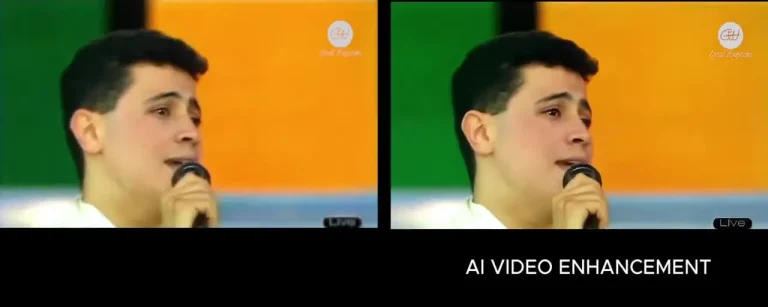
Hip House approaches generative media as a creative production discipline, not as a substitute for direction. Its AI Media Production service covers AI image generation, AI video generation, and video and image restoration for applications including brand films, social reels, ad campaigns, music videos, product launches, product visualization, and archival projects.
For organizations building a broader capability, AI Strategy & Automation can connect content production to repeatable systems and audience reach as part of a wider AI video marketing strategy. AI Training & Workshops can help teams become more confident and capable with AI-assisted creative work, while AI Identity & Digital Twins supports scalable, on-brand identity applications.
If you are planning a campaign, exploring a new visual direction, or trying to make AI-assisted content more repeatable, start a project with Hip House. The right workflow should begin with your objective and be shaped around the quality of the final idea.
Frequently asked questions
The timeline depends on the number of shots, creative complexity, level of iteration, approvals, and delivery formats. A small concept test may be completed quickly, while a campaign system with multiple cutdowns and platform versions needs more planning.
Not always. A clear objective, story beats, and shot architecture may be enough for early exploration. A more detailed script becomes important when the video includes precise narration, product information, dialogue, or legal language.
Consistency is supported by shared references, visual rules, controlled tests, clear shot planning, careful selection, and post-production. The workflow should identify which details are essential and which can vary expressively.
Not necessarily. Different stages may benefit from different methods, including reference development, image generation, motion generation, editing, restoration, sound, and graphics. The creative objective should determine the process rather than loyalty to a single tool.
Conclusion
A generative video workflow turns AI-assisted production from a collection of surprising outputs into a repeatable creative practice. The strongest systems begin with a communication objective, define a visual language, plan the sequence, test representative shots, generate in controlled passes, and finish with human direction and editorial care.
The process is structured, but it should not be lifeless. A good workflow gives creative teams enough control to protect the brand and enough flexibility to discover something unexpected. When strategy and craft guide the technology, generative video can become more than a novelty: it can become a practical way to make distinctive, useful, and memorable content.
AI Media Production
Cinematic visuals. Generative video. Restored masterpieces. All powered by AI. All guided by creative directors.